
How I Built an AI SEO Generator: A Technical Breakdown
When I set out to build AI SEO Generator, the goal was simple: take a single topic and turn it into a complete pillar + cluster SEO content strategy — fully written, formatted, and published directly to WordPress. No copy-pasting from ChatGPT. No manually creating posts. Just hit Generate and walk away.
Here's how the whole thing works under the hood.
The Problem I Was Solving
SEO content strategy typically looks like this: write one long-form "pillar" article on a broad topic, then write several shorter "cluster" articles targeting related subtopics, and link them together. It's effective, but it's also tedious. Each generation run means writing 6–8 articles, formatting them, setting meta descriptions, adding internal links, and creating WordPress posts — easily a half-day of work.
The plugin handles all of that automatically, from a single topic input to published posts with featured images and SEO meta descriptions.
The Architecture
The system is split into three layers: a WordPress plugin (frontend + job management), an AWS Lambda function (all the heavy lifting), and a licensing backend (DynamoDB + Stripe).
WordPress Plugin
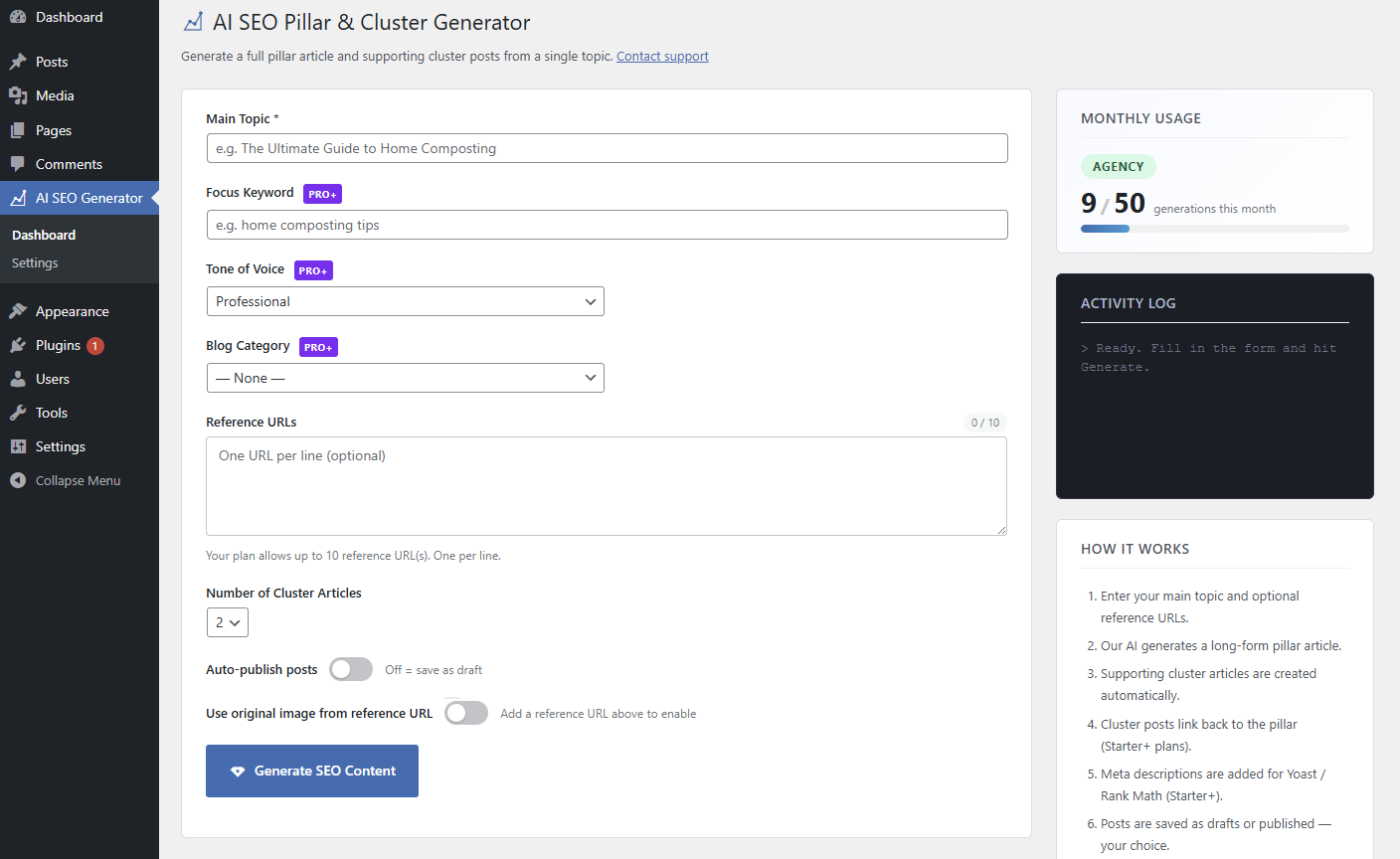
The plugin is built with PHP + Vanilla JS — deliberately no React, no build step. WordPress already ships a capable admin UI toolkit and the goal was to ship fast, not showcase a frontend framework. The dashboard is a PHP template rendered server-side with a small JS file handling form submission, polling, and the activity log.
Because AI generation can take 2–4 minutes for a full cluster set, the plugin uses WP-Cron to handle generation as a background job. When the user hits Generate:
- The AJAX handler validates inputs, enforces tier limits, and writes a job record to
wp_options - A WP-Cron event is scheduled 2 seconds out
- A non-blocking loopback request to
wp-cron.phpfires immediately — the same pattern WooCommerce uses — so the job starts without waiting for the next page load - The frontend polls a status endpoint every 5 seconds until the job completes or errors
This keeps the browser request fast while the Lambda call runs in the background, comfortably within PHP's execution limits.
AWS Lambda — The Generation Engine
All AI generation runs inside a single Python 3.12 Lambda function on AWS (ap-southeast-2). The Lambda URL is called directly from the WordPress server — not the browser — so the license key never touches the client.
A generation request goes through these stages:
1. License validation
Every request carries an auth_secret (the customer's license key). Lambda looks it up in DynamoDB, checks it's active and not expired, and resolves the customer's tier. The tier is authoritative — it's never accepted from the client.
2. Reference URL scraping If the user provides reference URLs (competitor pages, product pages), Lambda scrapes them via the ScrapingDog API. The scraped text is fed into the Gemini prompt as competitor context. For Amazon product pages, Lambda also uses retailer-specific HTML patterns to extract product images. All of this happens server-side — no API keys on the WordPress side.
3. Content generation with Gemini 2.5 Flash Lambda makes sequential calls to Google Gemini 2.5 Flash — one call to generate the pillar article and plan the cluster titles, then one call per cluster article. Gemini was chosen over GPT-4o for its speed and cost efficiency on multi-call workloads where you're generating 3–6 articles in a single session.
Each prompt instructs Gemini to return structured JSON with title, content (Markdown), and optionally a meta description. The content uses standard Markdown — headings, bold, bullet lists, inline links — which the WordPress plugin parses into clean HTML before inserting posts.
4. Response assembly Lambda assembles the pillar + clusters into a single JSON response, including the resolved tier and any scraped image URL, and returns it to WordPress.
Post Creation
Back in WordPress, AISEO_Generator::create_posts() handles everything:
- Creates the pillar post via
wp_insert_post() - Creates each cluster post
- Writes meta descriptions to Yoast, Rank Math, and All in One SEO fields simultaneously — so it works regardless of which SEO plugin the customer has installed
- Appends internal links from cluster articles back to the pillar (Starter tier and above)
- Sideloads the featured image into the WordPress Media Library via
media_sideload_image()
Posts are created as drafts by default, or published immediately if the user toggled auto-publish.
The Licensing System
Licenses are stored in AWS DynamoDB with a simple schema: license key, tier, active flag, expiry timestamp, customer email, and a list of registered site URLs.
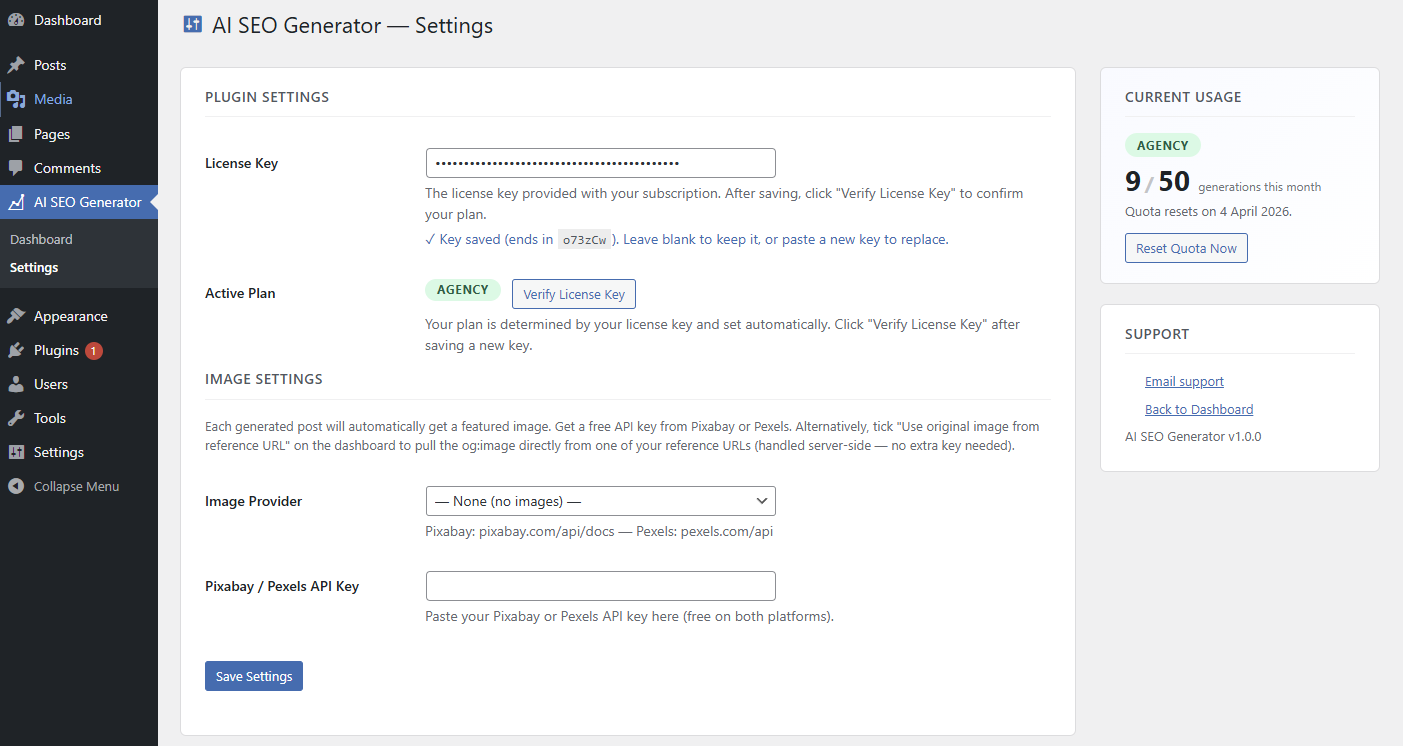
When a customer completes a Stripe purchase, a second Lambda function receives the checkout.session.completed event via Amazon EventBridge (not a public webhook endpoint — EventBridge handles authentication via IAM cross-account trust). That function generates a secrets.token_urlsafe(32) license key, writes it to DynamoDB, and emails it to the customer via AWS SES with a download link for the plugin ZIP hosted on S3.
When a WordPress site saves its license key, the plugin calls Lambda with an action: verify payload. Lambda validates the key and registers the site URL against it in DynamoDB. Agency tier customers can register up to 5 sites on a single license — Lambda enforces this server-side.
Tier Enforcement
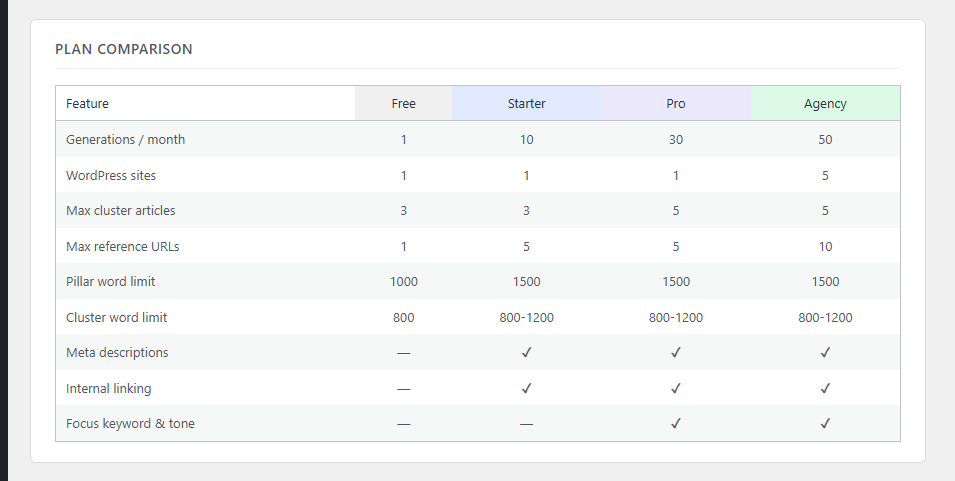
The plugin ships with four tiers — Free, Starter, Pro, and Agency — each with different generation limits, cluster counts, word counts, and feature access (meta descriptions, internal linking, advanced inputs like tone of voice and focus keyword).
Tier limits are enforced in two places:
- WordPress plugin — UI disables locked fields and caps inputs before the request is sent
- Lambda — re-enforces server-side regardless of what the request contains, and returns the authoritative tier in every response so the plugin stays in sync
This dual enforcement means tier limits can't be bypassed by modifying the request.
The Stack
| Layer | Technology |
|---|---|
| Plugin frontend | PHP + Vanilla JS |
| Background jobs | WP-Cron + loopback spawn |
| Generation backend | AWS Lambda (Python 3.12) |
| LLM | Google Gemini 2.5 Flash |
| Web scraping | ScrapingDog API |
| License storage | AWS DynamoDB |
| Payments | Stripe + Amazon EventBridge |
| Email delivery | AWS SES |
| Plugin distribution | AWS S3 |
What I'd Do Differently
A few things I'd revisit in a future version:
Parallel cluster generation. Currently Lambda generates clusters sequentially — one Gemini call at a time. Switching to asyncio + asyncio.gather() would cut generation time from 2–4 minutes down to under a minute for most workloads.
Gutenberg block UI. The current dashboard is a classic admin page. A Gutenberg sidebar block would feel more native and make it easier to generate content directly from the post editor.
Streaming progress. Right now the frontend polls every 5 seconds with no visibility into which cluster is being generated. Server-sent events or WebSocket progress updates from Lambda would make the waiting feel a lot shorter.
AI SEO Generator is available now at brendanbostock.com/ai-seo-generator.